My channel on YouTube (for Lexicon app examples): <Lexicon app> Greek Language – YouTube
- Η εφαρμογή “Lexicon” version 2.2 γίνεται installation σε λειτουργικό Windows.
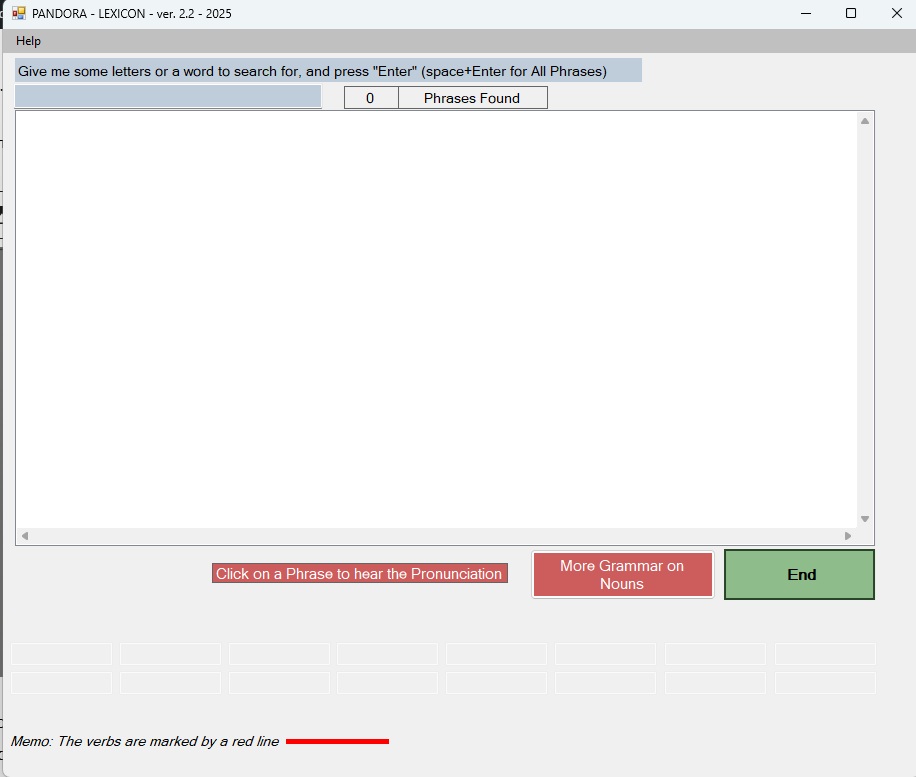
Η κεντρική οθόνη της εφαρμογής είναι η πιο κάτω:
Greek Language Learning
The “Lexicon” version 2.2 application is installed on Windows operating system.
The main screen of the application is as follows:
Μπορείτε να κάνετε τα πιο κάτω:
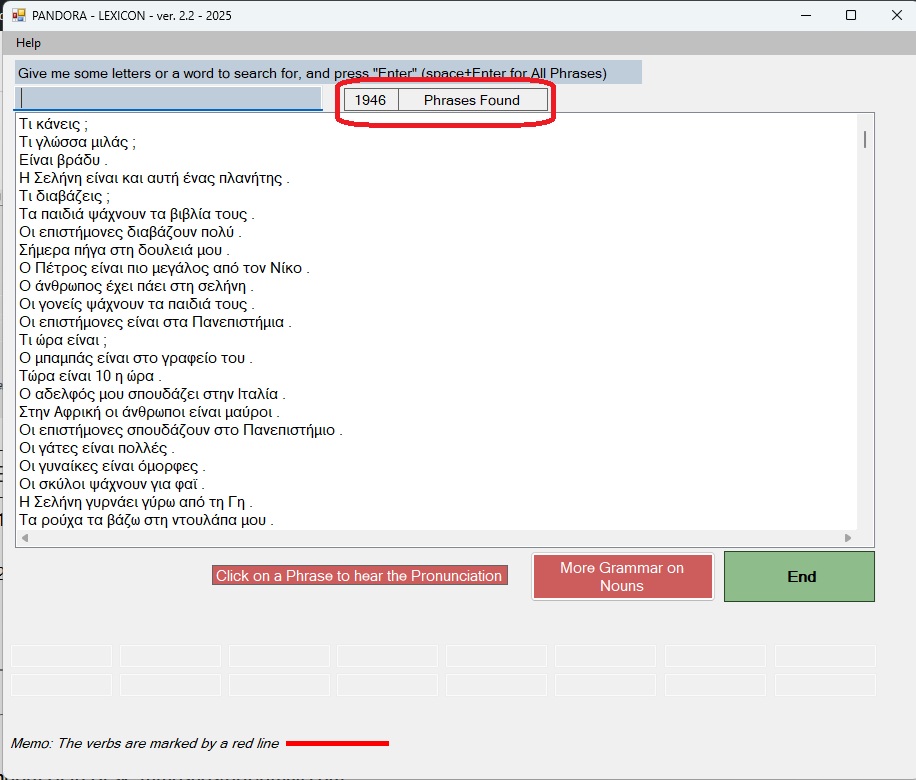
- Να πληκτρολογήσετε space + Enter για να δείτε όλες τις ελληνικές φράσεις που υπάρχουν στη βάση. Βλέπουμε ότι υπάρχουν 1.946 ελληνικές φράσεις.
- You can do the following:
- Type space + Enter to see all the Greek phrases in the database. We see that there are 1,946 Greek phrases.
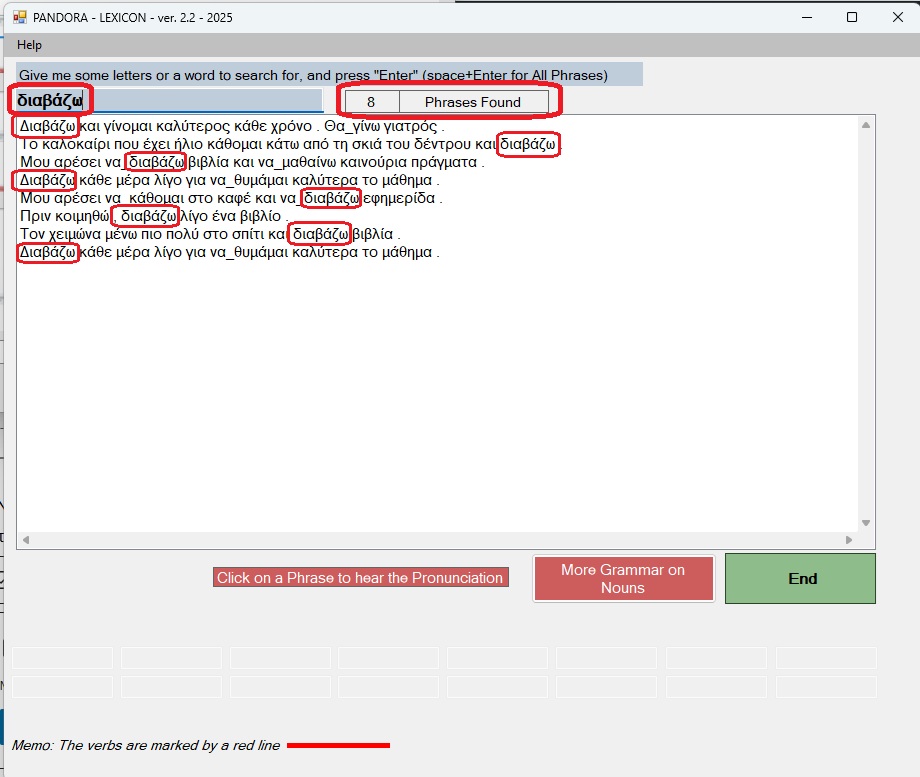
2. Να πληκτρολογήσετε μια ελληνική λέξη + Enter για να δείτε όλες τις φράσεις που έχουν μέσα τους αυτή τη λέξη. Για παράδειγμα δίνω τη λέξη “διαβάζω“. Βλέπω ότι βρήκε 8 φράσεις που έχουν μέσα τους τη λέξη “διαβάζω“.
Type a Greek word + Enter to see all the phrases that have that word in them. For example, I give the word “διαβάζω“. I see that it found 8 phrases that have the word “διαβάζω”.
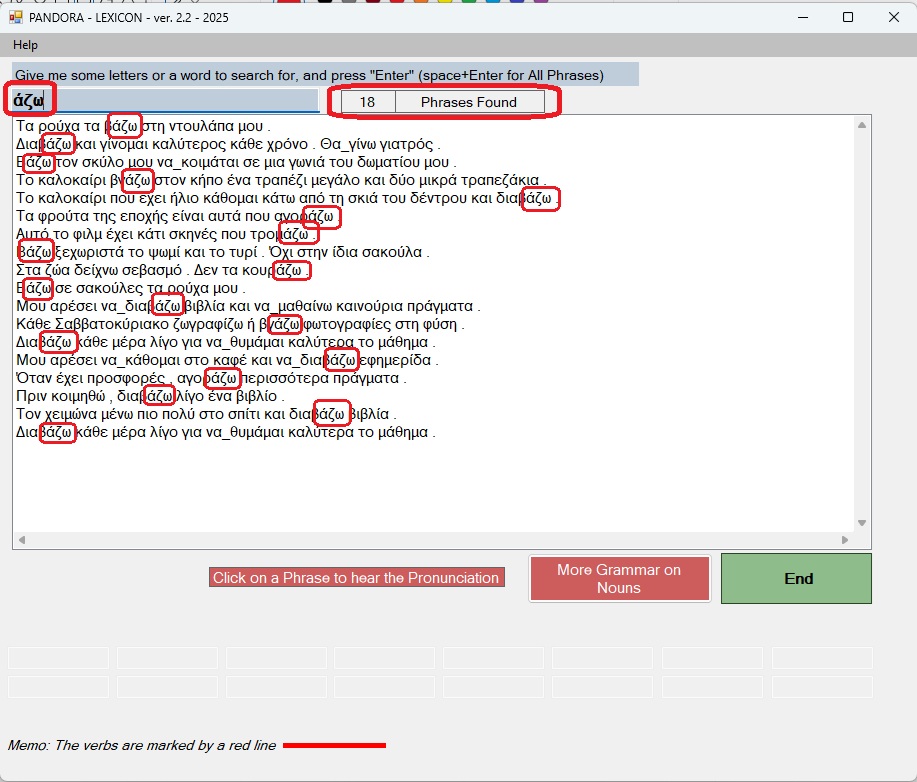
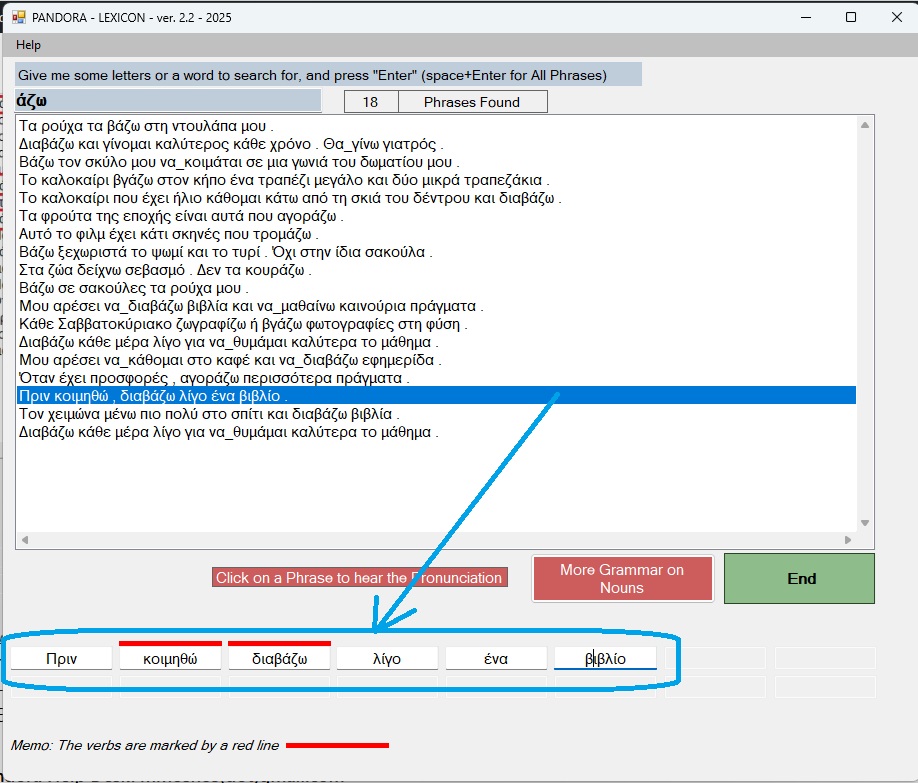
3. Να πληκτρολογήσετε μερικά γράμματα + Enter για να δείτε όλες τις φράσεις που έχουν μέσα τους αυτά τα γράμματα. Για παράδειγμα δίνω τα γράμματα “άζω“. Βλέπω ότι βρήκε 18 φράσεις που έχουν μέσα τους τα γράμματα “άζω“.
Type some letters + Enter to see all the phrases that have those letters in them. For example, I give the letters “άζω“. I see that it found 18 phrases that have the letters “άζω” in them.
4. Τώρα μπορείτε να κάνετε κλικ πάνω σε μια ελληνική φράση για να ακούσετε από φυσικό ομιλητή την προφορά της φράσης. Για παράδειγμα κάνω κλικ στη φράση “Πριν κοιμηθώ, διαβάζω λίγο ένα βιβλίο“. Επίσης θα εμφανιστούν μέσα σε κουτάκια όλες οι λέξεις της φράσης για να δείτε τη γραμματική τους.
Now you can click on a Greek phrase to hear the pronunciation of the phrase from a native speaker. For example, I click on the phrase “Πριν κοιμηθώ, διαβάζω λίγο ένα βιβλίο” “Before going to bed, I read a book”. All the words in the phrase will also appear in boxes so you can see their grammar.
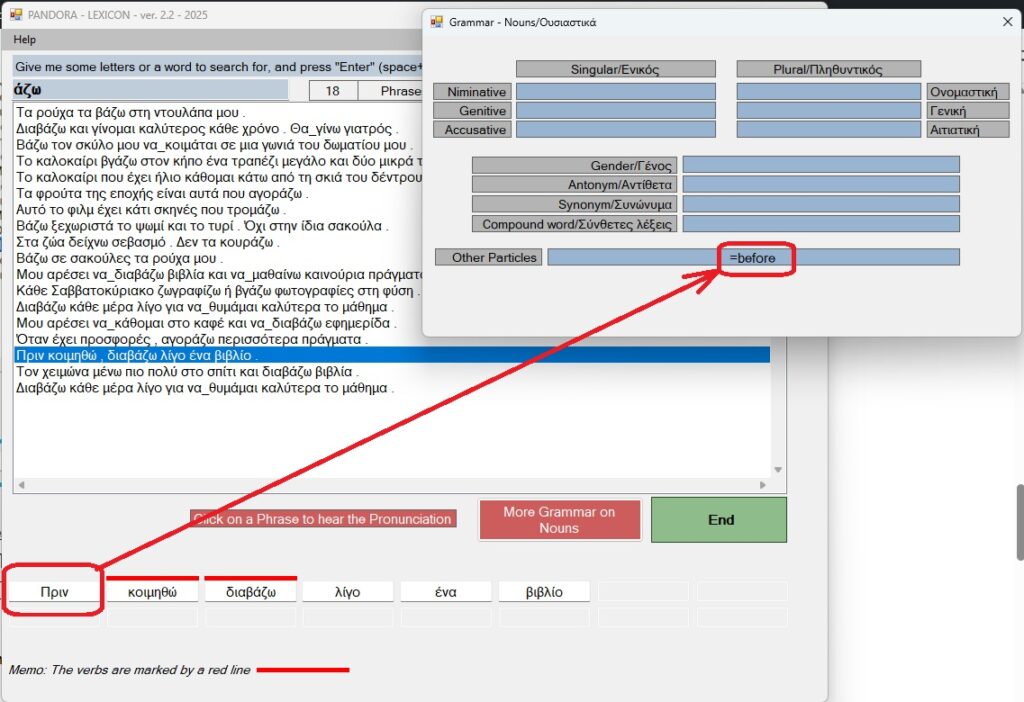
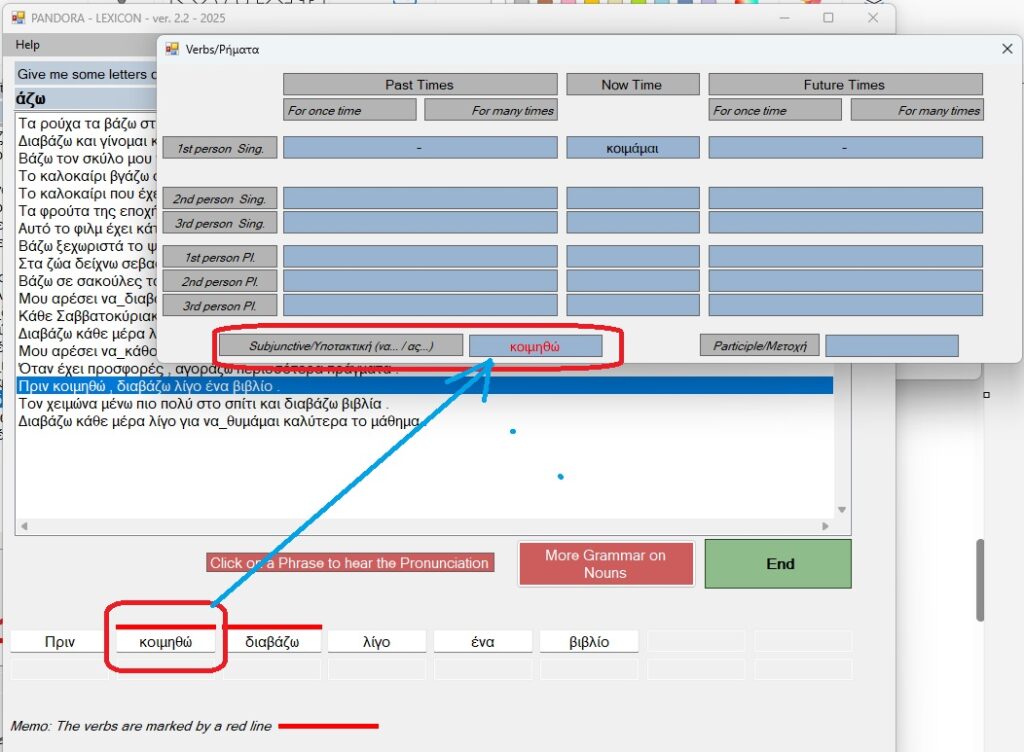
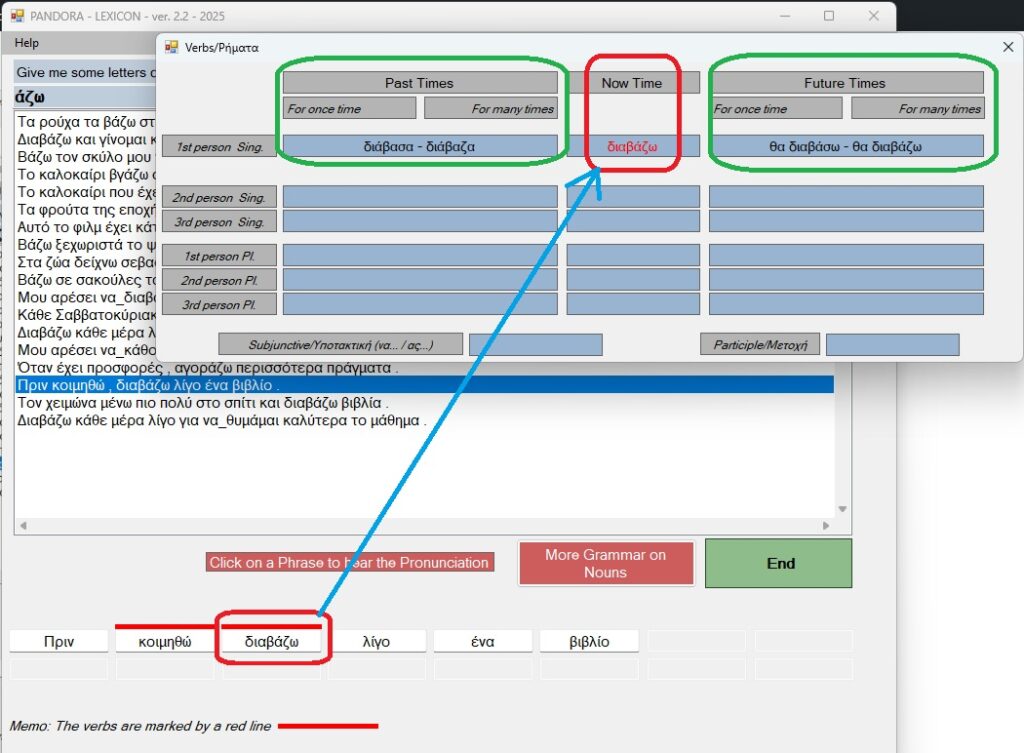
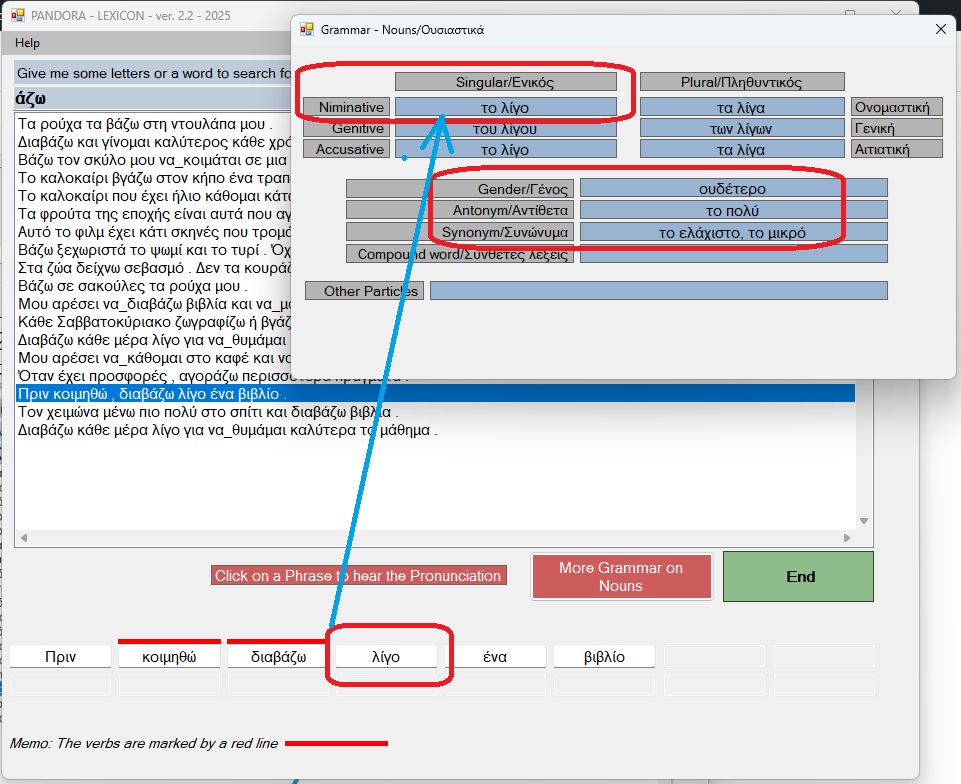
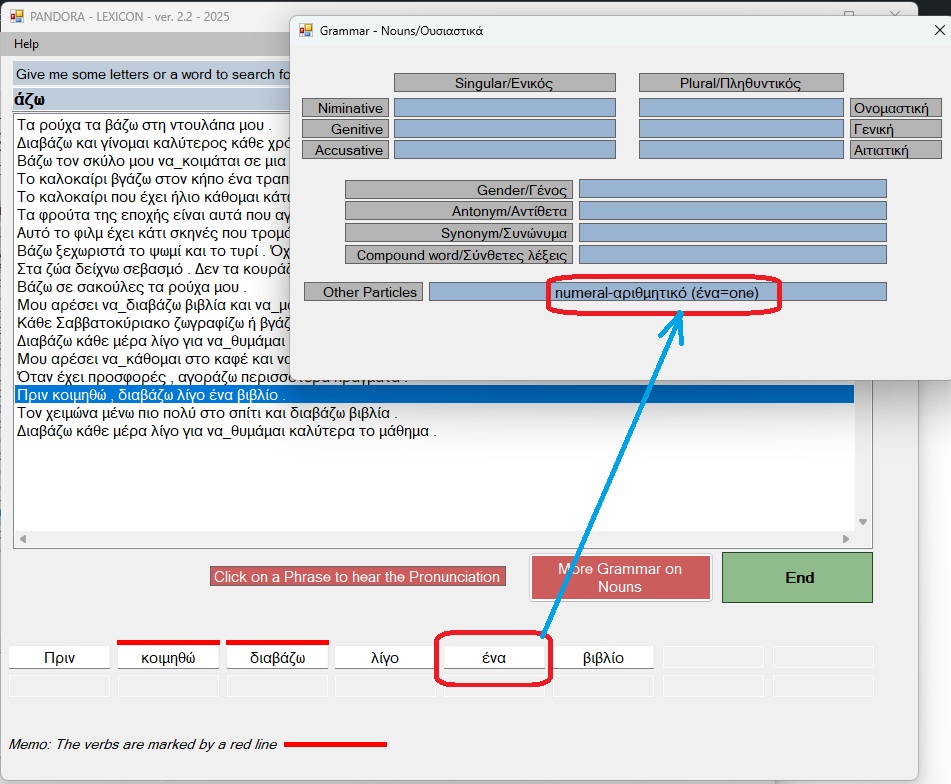
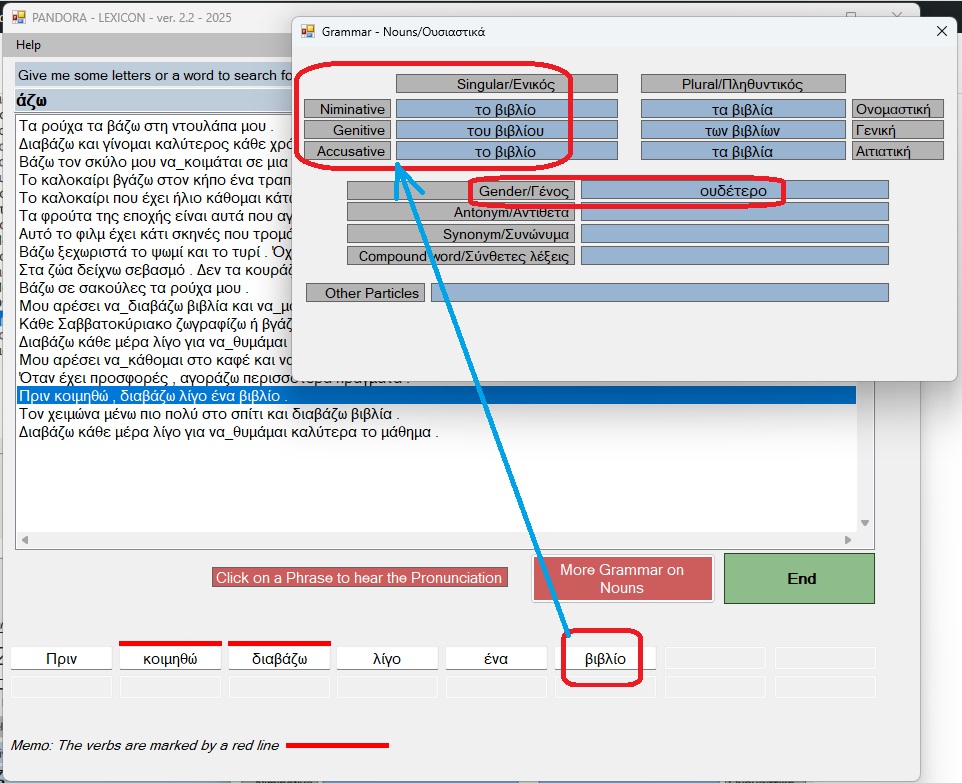
5. Τώρα μπορείτε να κάνετε κλικ πάνω σε κάθε λέξη και να δείτε τη γραμματική αυτής της λέξης.
Now you can click on each word and see the grammar of that word.
Pandora Help Desk: mmoshos(dot)gmail.com